

- LLMs such as ChatGPT, Claude, Gemini and Perplexity
- ai features inside tools you already use, such as Google Workspace, Chrome and Microsoft 365 Copilot
- General purpose ai assistants such as Scribe, Google NotebookLM, Otter, Fireflies, Notion, Motion and Canva. There are hundreds of these.
A framework from navigating ai Segment 1
 Segment 2
 Segment 3
Three Segments of Applied ai
Companies often treat ai as one big initiative, one plan with one budget and one owner. Look closer and ai shows up in three distinct segments:
- Individual productivity
- Team productivity via shared knowledge and workflows
- Core transactional workflows
Each has its own tools, owners, costs and risks. Looking at ai through these three segments gives you a clear way to organize it.
Segment 1Personal Productivity
ai that helps one person do their own work faster and better.
e.g., drafting emails and summarizing meeting notes
See the detailsSegment 2Team Productivity
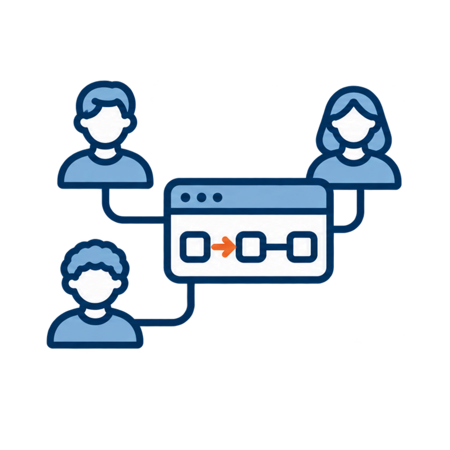
ai wired into your team's processes and data.
e.g., a sales assistant that preps your team for customer meetings using your own data
See the detailsSegment 3Core Applications
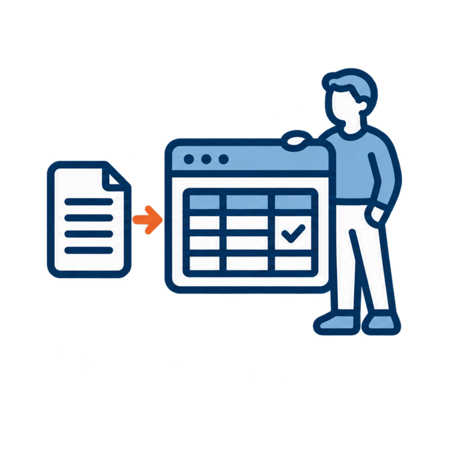
ai that enhances core system functionality and creates and updates orders, invoices and records.
e.g., turning customer emails into orders in your ERP
See the detailsWhy the segments matter
ai needs a leadership and culture plan as much as a technology one. Leaders don't need to become ai engineers. They do need to create the conditions where new tools get evaluated quickly, workflows get redesigned continuously and useful capabilities move into production with real adoption behind them.
The three segments provide structure for ownership, governance and measurement so each can move forward on its own track.
Sorting work into the segments also shows where resources should go. Personal productivity needs education. Team productivity needs help evaluating, building and managing workflows. Core applications come down to a build or buy decision.
Segment 1
Personal Productivity
Role based use of ai to work faster, communicate clearer, do research and think more creatively in your own day to day work.
Tools
Complexity
Generally low, but can range from low to high depending on people's familiarity with ai.
Primary valueTime saved, faster communication, higher work quality, better critical thinking and role based skill development.
Resources required
- LLM or ai assistant subscriptions
- Training and guidelines for safe, effective use
- Your existing data and security infrastructure
KPIs
- Personal performance
- Per user subscriptions
- Tokens and possible usage fees
RACI
- Responsible
- Individual user
- Accountable
- Their manager
- Consulted
- IT, Data and Legal for security and governance
- Informed
- HR and leadership on policy
Segment 2
Team Productivity
ai enhanced workflows and assistants sit on top of, or alongside, your existing tools and data. They integrate and streamline team processes, creating shared knowledge and data. They get work done faster and more accurately by giving people better information and faster insight.
The key distinction: these are company workflows, wired together on your stack.
Tools
- Platforms such as the Microsoft and Google ecosystems
- Workflow automation and agent builders such as Make, Zapier, Copilot Studio and n8n. There are hundreds, if not thousands, of options.
- LLMs and ai services such as Microsoft Foundry, the OpenAI API, Anthropic and Google Vertex AI
- Data sources such as SharePoint, Microsoft Fabric, Google Drive, ERP and CRM, other API accessible applications and your data warehouse
Complexity
Ranges from low to complex.
Primary valueShared knowledge, time saved, better informed decisions, faster execution and higher work quality.
Resources required
- Process owners to define business process flows and opportunities
- Integration expertise
- Resources to configure and build workflows, internal, external or a mix
- Training
KPIs
- Operational cost reduction
- Customer, supplier and employee scorecard improvement
- Revenue enhancement
- Subscriptions
- Tokens
- Time to configure, build and test
- Ongoing maintenance and enhancement of workflows, agents and data
RACI
- Responsible
- Team lead
- Accountable
- Business owner of the process (VP Ops, VP HR and so on)
- Consulted
- IT or Ops depending on the tool, plus Data, Finance and Sales as needed
- Informed
- Affected teams and leadership
Segment 3
Core Applications
Purchased ai applications are a robust, scalable, feature rich solution that is too complex or costly to build and to integrate and maintain yourself. These applications often create or update transactions in your ERP or other core systems. By default they are generally complex and demand a high degree of accuracy. They usually involve application design, user interface design and robust integrations to other systems. When those conditions exist, building in-house is generally off the table for organizations with limited resources.
Many of these applications are ai native and ready to deploy, with short implementation and proof of concept timelines. Getting the benefits of ai into core functions quickly is a competitive advantage. Building, deploying and integrating in-house would generally take months, if not years.
When choosing Segment 3 platforms, favor ai native platforms over legacy tools carrying technology debt, where ai is often layered on top of older OCR, template or RPA engines.
There's a gray area between Segments 2 and 3: when do you let a Segment 2 initiative update a core system? If you allow it, assess the impact on core systems up front and make sure resources are available for ongoing maintenance and testing whenever those systems are upgraded.
Tools
- Platforms for order to cash automation, financial management, CRM automation and supply chain processing
- ai automation embedded in applications you already run, such as HubSpot, Salesforce and HR systems
Complexity
High, because of data requirements, complex rules, integration and the accuracy mission critical processes demand.
Primary valueFast deployment and low ongoing maintenance, with significant gains in speed and reduction in manual effort, plus higher accuracy, fewer errors, revenue impact, risk reduction and scalability.
Resources required
- Vendor selection and evaluation
- Implementation and integration effort
- Training
- Ongoing governance, monitoring and change management
KPIs
- Time saved
- Incremental revenue
- Speed and accuracy
- Customer and supplier performance scorecards
- Subscription fees with contract terms
- Implementation fees, though these are often waived
RACI
- Responsible
- Internal project owner
- Accountable
- Executive sponsor (CFO, COO or similar)
- Consulted
- Vendor, IT, Finance, Security and key users
- Informed
- Board or ownership for higher risk, higher value plays
Three questions that matter in every segment
Whichever segment you're working in, data, security and governance always come up. Three questions to ask every time:
1
Security and permissions
- Core systems often have detailed role based permissions, sometimes down to the field level.
- When you put ai on top of those systems, especially with single sign-on, people must not be able to prompt their way into data they shouldn't see, like HR records or sensitive financials.
- Work with IT and security, or a trusted partner, to align ai access with your existing permission model.
2
Data sources and freshness
- What is the availability, source, timeliness, structure and quality of the data? Think ERP, CRM, file shares, data warehouse, email and voicemail.
- How does new data get added and how does old data get archived or cleaned up?
- Avoid set it and forget it. Build simple checks or alerts to keep data current.
3
ai literacy and ownership
- Most companies have only a few people who are truly ai literate and they're often not the ones in charge.
- Plan for training, clear ownership of ai initiatives and simple governance from the start.
human led. ai amplified.
Not sure which segment to start in?
Our use case discovery workshop sorts your team's ideas into these three segments and sends you home with 3 to 5 prioritized use cases and a 30 day adoption plan.
Talk to us